GarageIQ
Version 1.0

Run your vehicle build like a well-managed project

GarageIQ is a self-hosted restoration manager: checklists with dependencies, parts and expenses, garage projects and an interactive garage, with an AI assistant that works from your real data and never changes anything without your approval.

Node.js 22Express 5SQLite (built-in)Vanilla JS, no build stepOffline-first PWAOpenAI Responses API
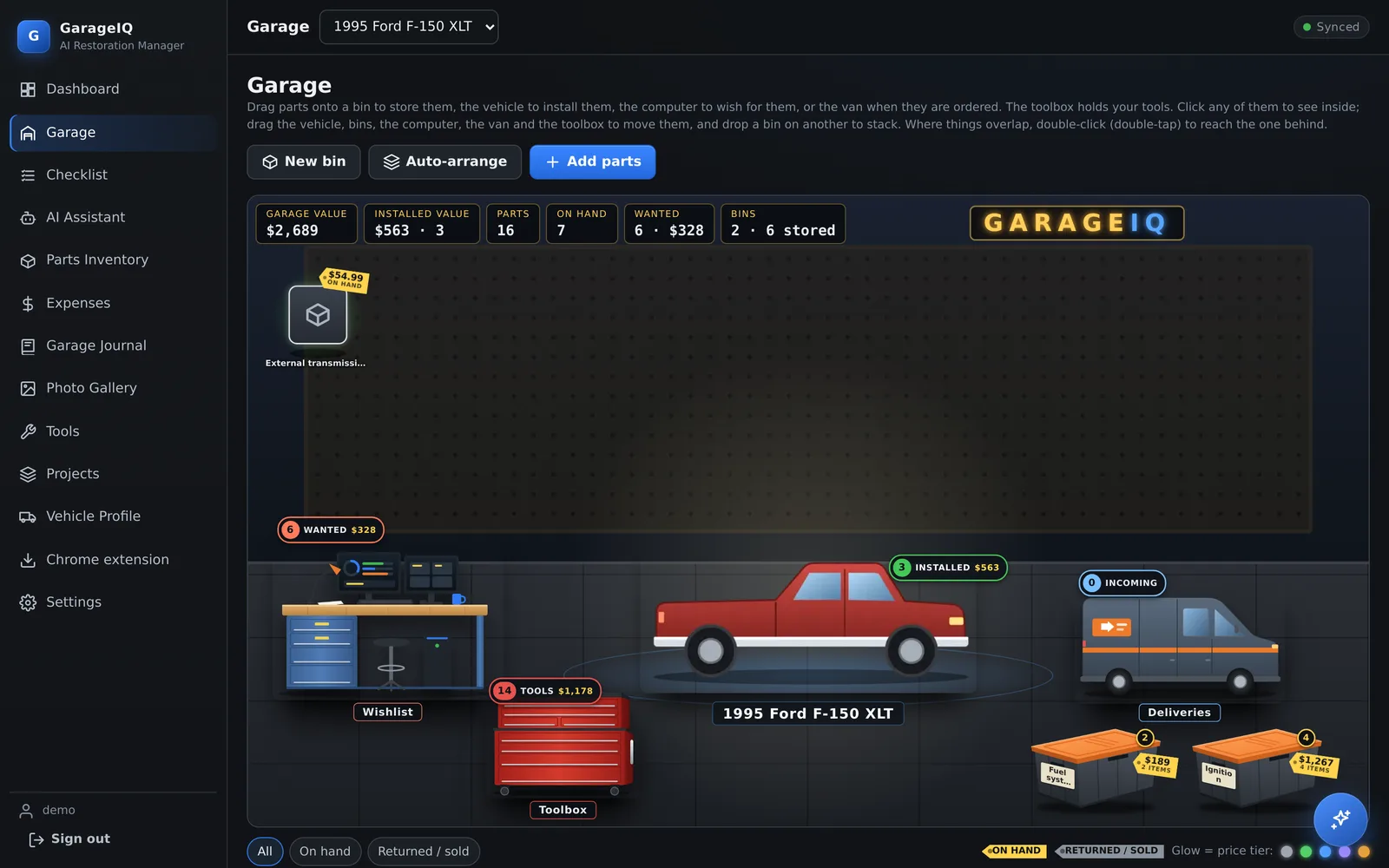
The GarageIQ garage: a red pickup on the floor, a wishlist workbench, a red toolbox, a delivery van and two storage bins, each showing item counts and values

Everything a build needs, in one place

The sample project is a 1995 Ford F-150 engine and transmission swap: 241 tasks across 11 phases with 76 prerequisite links, plus parts, specs and expenses.

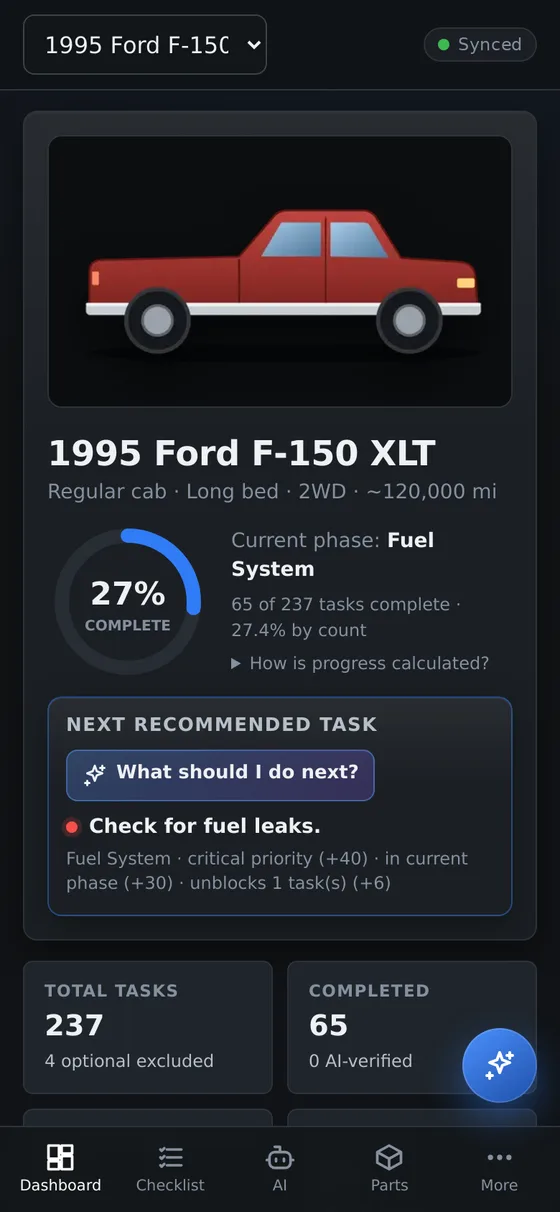
A dashboard that explains itself

Progress is computed from task records with the formula shown, not typed in. The next recommended task comes with its reasons.

  • Weighted progress by phase
  • Blocked and critical counts, awaiting verification
  • Money invested, remaining cost, resale projection, tool value
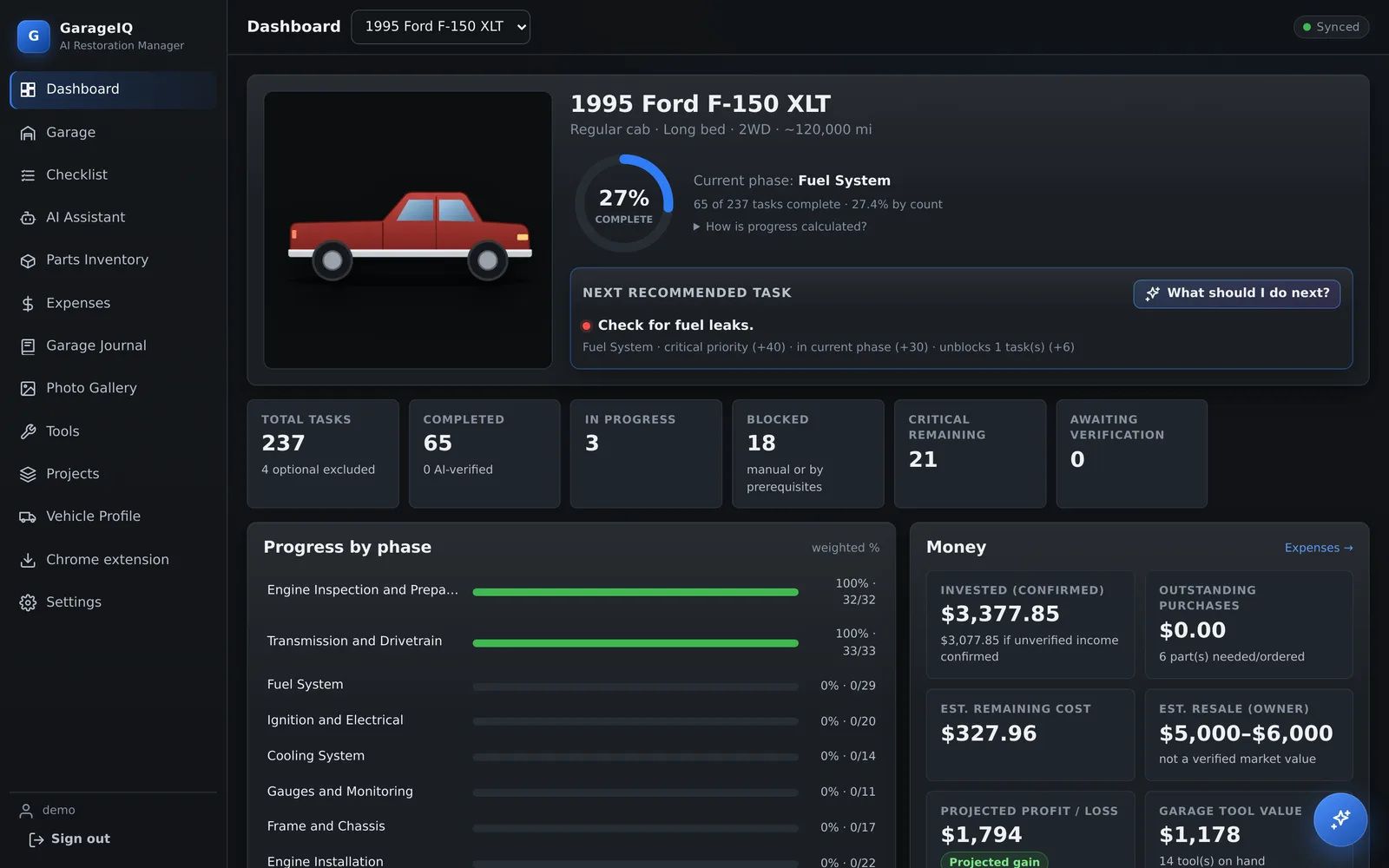
Dashboard with a 27 percent progress ring, the next recommended task and a money summary

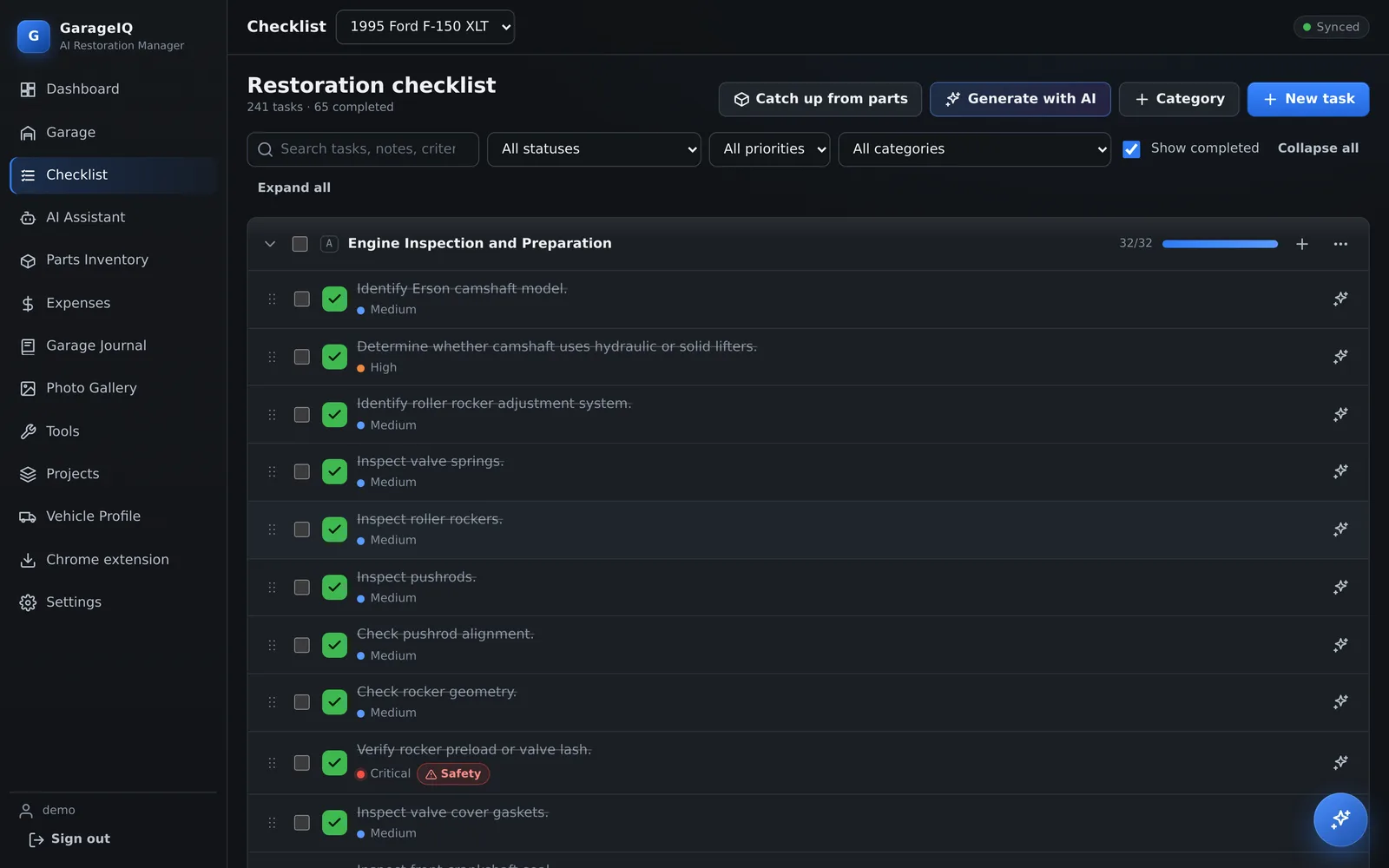
Checklists with real dependencies

Tasks know their prerequisites. Cycles are rejected, and finishing something early needs a recorded reason, so the plan stays honest.

  • Phases, priorities, bulk edits, drag to reorder
  • Completion criteria, safety warnings, measurements, photos
  • Installing a part offers to complete the tasks it finishes
Checklist grouped by phase with priorities and prerequisites

Parts, money and projects

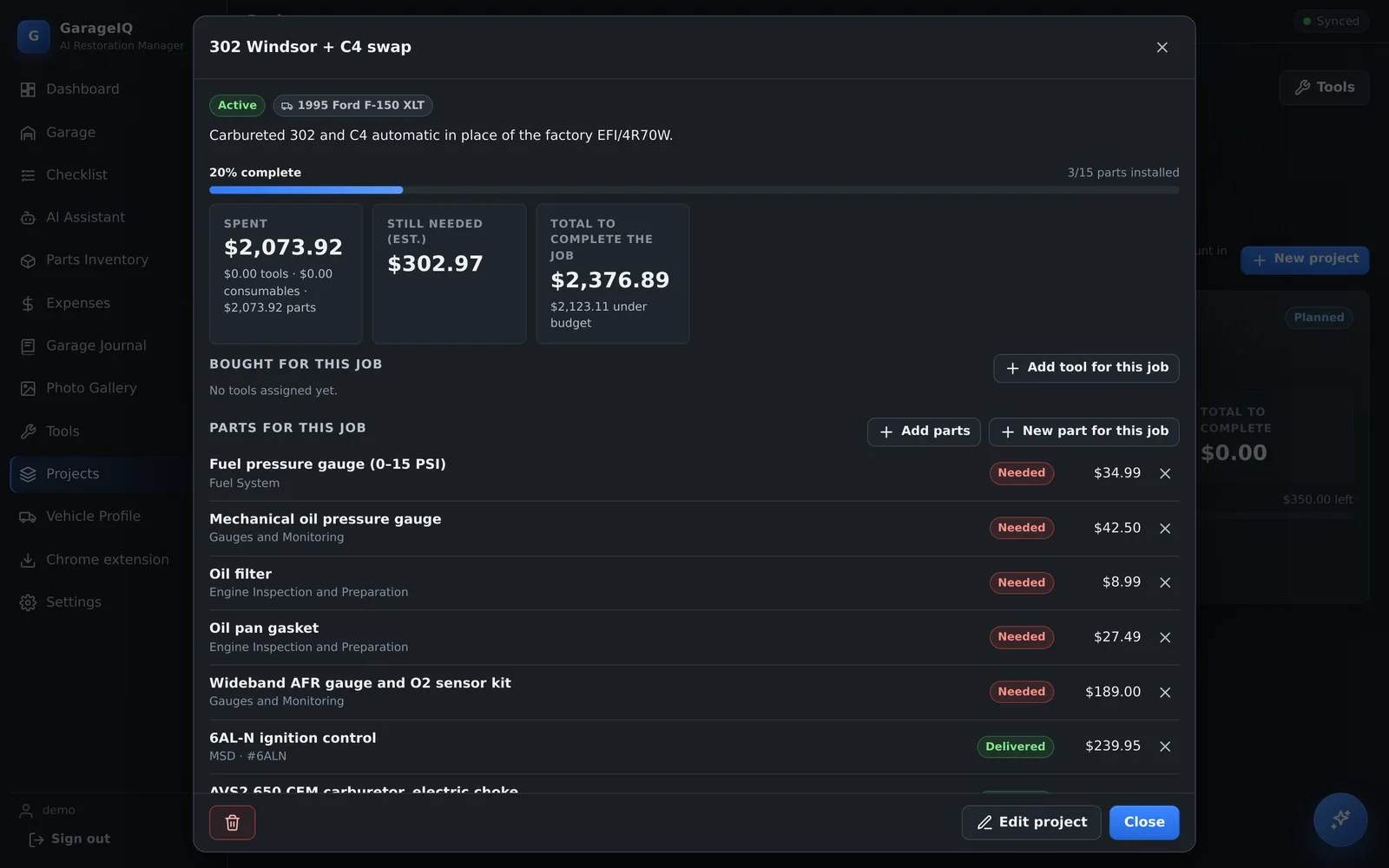
Every part from "need to buy" to installed, with prices, vendors, receipts and linked tasks. Garage projects roll tools and parts up into budgets and completion.

  • Need To Buy list, store-link import, AI receipt scan
  • Confirmed, pending and estimated expenses; budgets
  • Project completion by installed parts
A garage project showing 20 percent complete, money spent and still needed, and its parts

A garage you can actually use

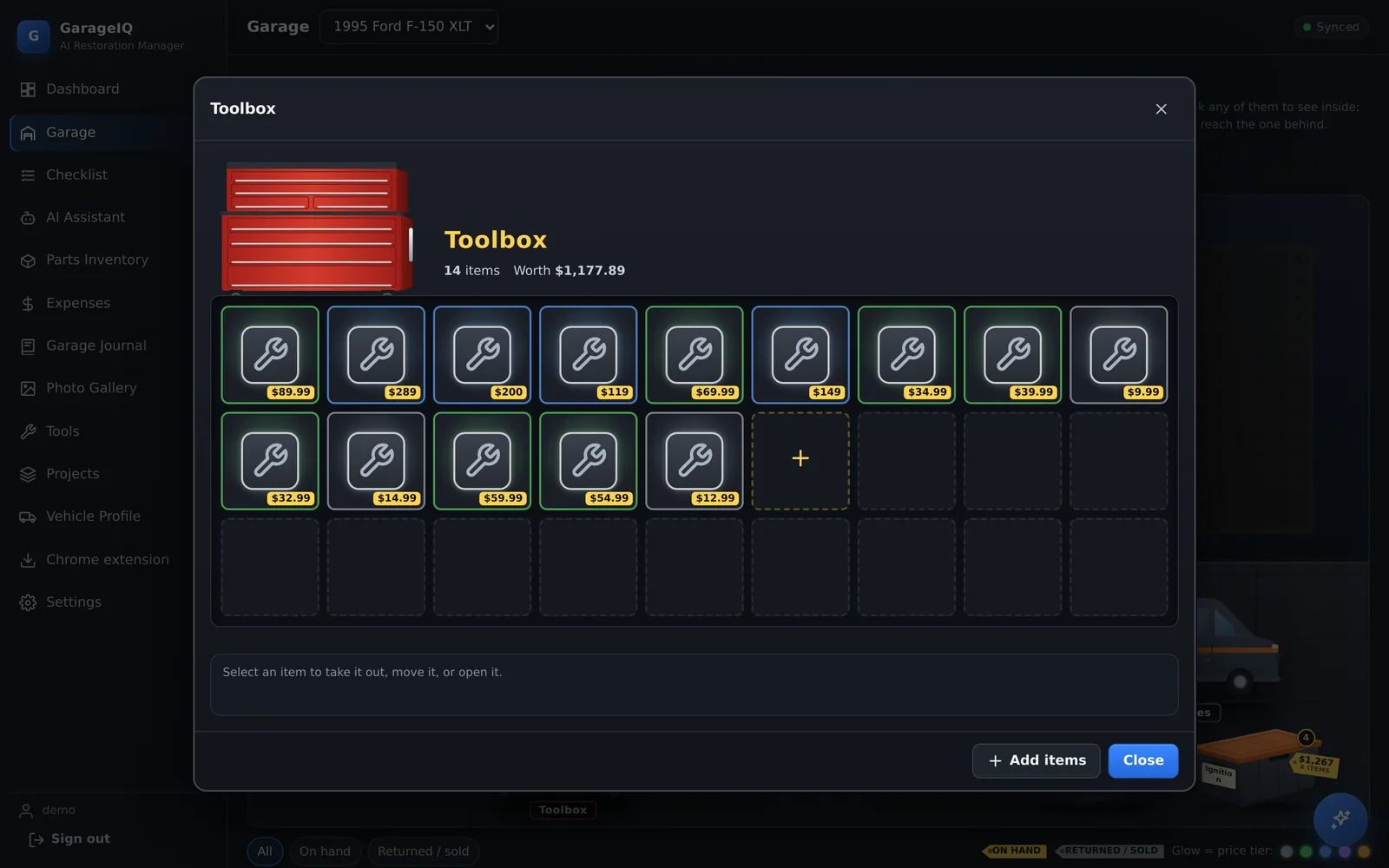
Drag a part onto the truck to install it, onto the van when it's ordered, or into a storage bin. Each container opens a paged, game-style inventory.

  • Stackable bins, movable props, layout saved per vehicle
  • Double-click to reach things stacked behind others
  • Lightweight: plain DOM and CSS, no canvas loop
Toolbox inventory with paged drawers of tools and their prices

Built with care

Small, dependable and secure by default. Seven runtime dependencies, no front-end framework, and it runs comfortably on a 1 GB server.

AI

Approval-gated AI

The assistant reads project data through validated tools. Anything that would change data becomes a proposal you approve, and every change is audit-logged.

⟳

Offline-first sync

Cached shell and data, a queue for offline changes, and version-based conflict detection that asks you instead of overwriting.

🔒

Secure by default

scrypt hashing, server-side sessions, CSRF tokens, strict CSP, zod validation everywhere and content-validated uploads.

✓

180+ automated tests

Every suite runs against its own temporary data folder: API, auth, migrations, finance, media, backups and AI schemas.

DB

Data you can trust

Integer-cent money, append-only migrations, computed progress, verified backups with checksums and one-step restore.

♿

Accessible and responsive

Keyboard support, labels and roles, reduced-motion support, and phone layouts checked at 360 and 390 px.

Stack

Node.js 22built-in node:sqlite
Express 5helmet, rate limiting
Vanilla JSES modules, service worker
OpenAIResponses API, tool calling

Made for the shop floor

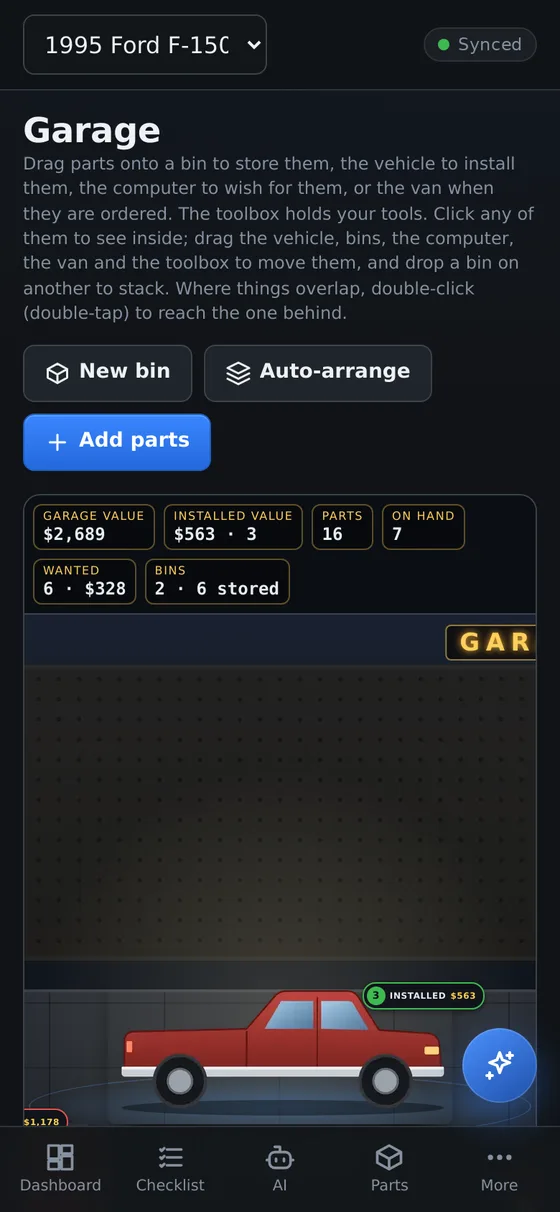
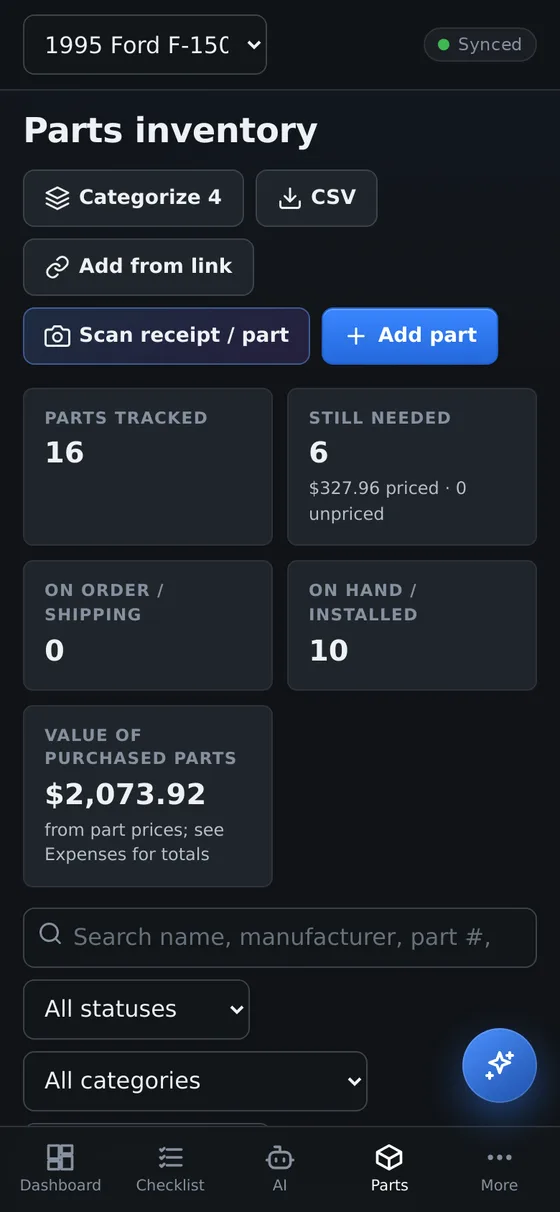
Install it on your phone, keep working without signal in the garage, and let it sync when you're back online.

Dashboard on a phone Garage on a phone Parts list as cards on a phone

Install

Requires Node.js 22.13 or newer, or Docker. Full instructions, configuration and a production deployment guide are in the README. GarageIQ is proprietary; running it requires the copyright holder's permission.

git clone https://github.com/248Tech/GarageIQ.git
cd GarageIQ
npm ci
npm run setup   # network, port, data folder, optional OpenAI key, admin account
npm start       # http://localhost:3000